> For the complete documentation index, see [llms.txt](https://ladipage-vietnam.gitbook.io/v5-ladipage/llms.txt). Markdown versions of documentation pages are available by appending `.md` to page URLs; this page is available as [Markdown](https://ladipage-vietnam.gitbook.io/v5-ladipage/xvii.-form-data/cai-dat-chung-cho-form/hop-chon-gia-tri-combobox.md).
# Hộp chọn giá trị (Combobox)
Kiểu hộp chọn giá trị cho phép bạn đưa ra nhiều lựa chọn dưới dạng menu thả xuống, không tốn diện tích.
Khi xuất bản sẽ được hiển thị như sau:

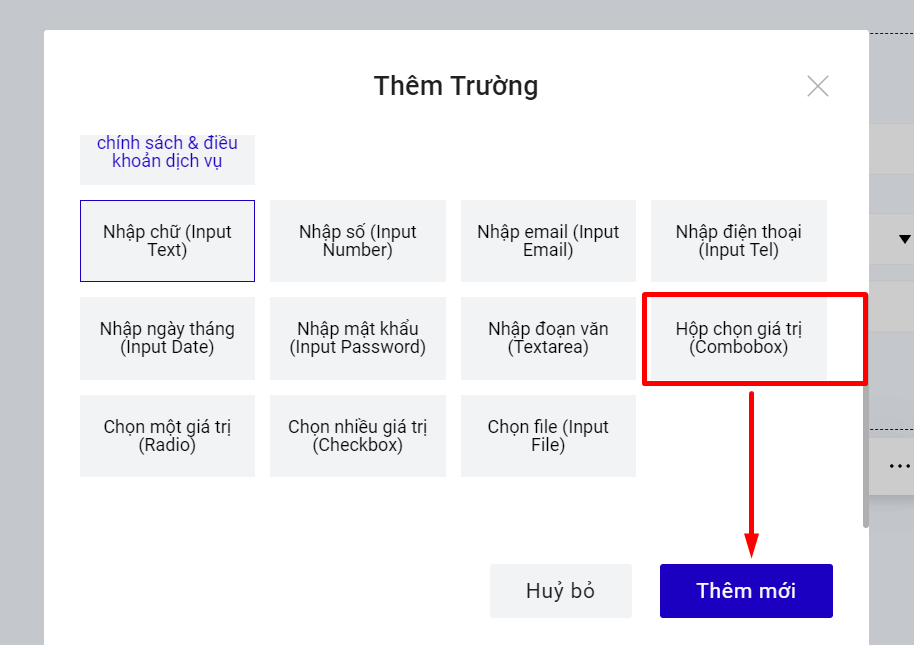
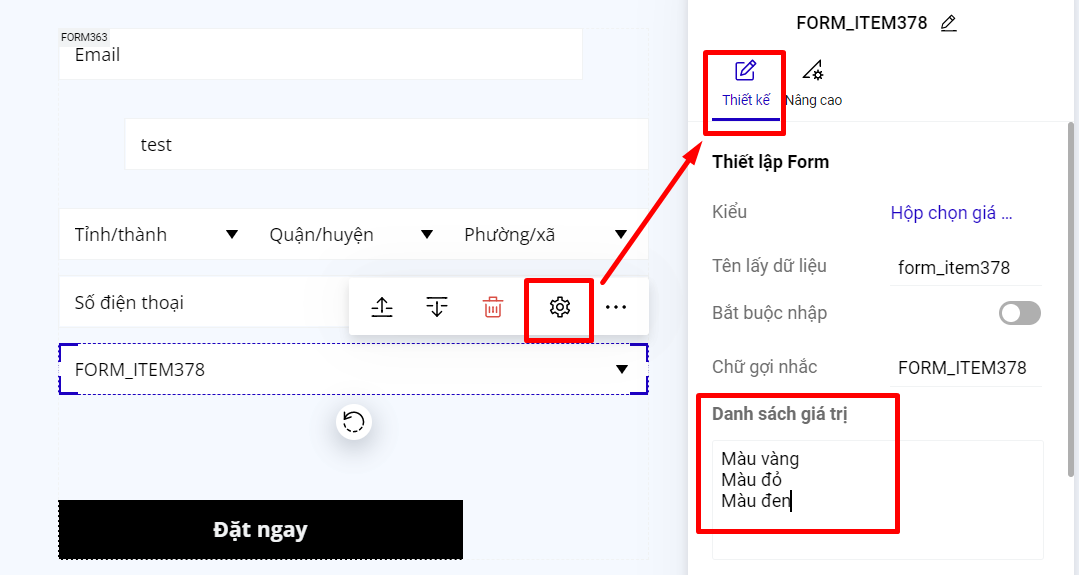
Để thiết lập bạn chọn trường "Hộp chọn giá trị". Trong ô điền Danh sách giá trị, bạn điền giá trị sau đó enter xuống dòng để mỗi giá trị là một dòng như ví dụ hình dưới:
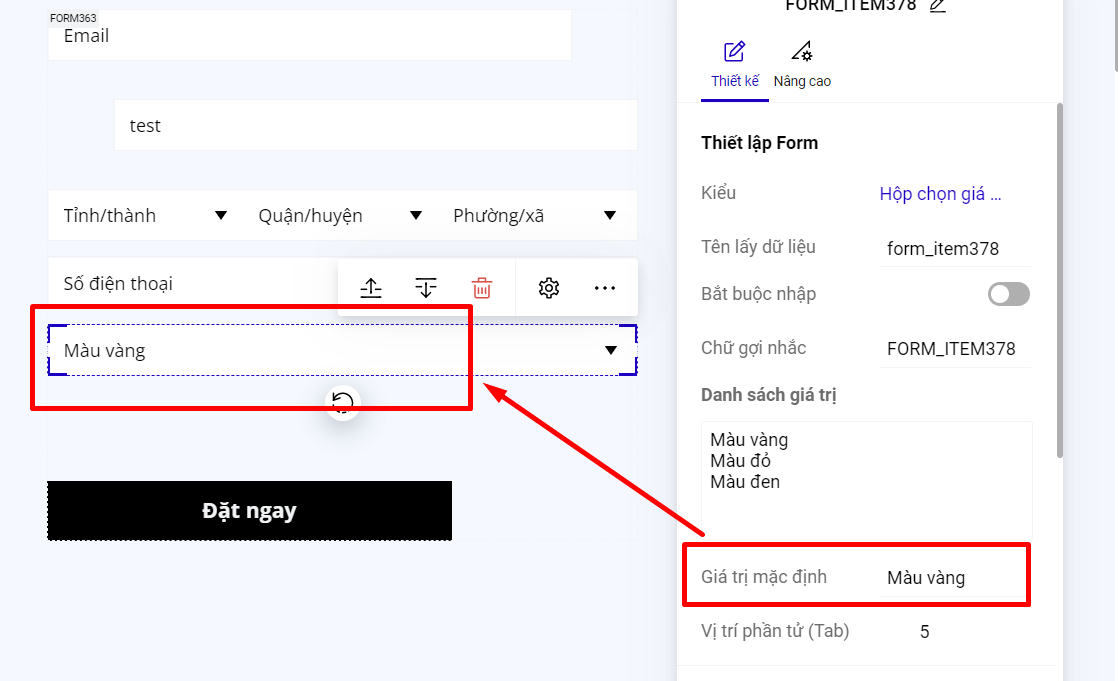
Nếu bạn muốn khi khách hàng truy cập vào landing page, trường Combobox của form đăng ký hiển thị sẵn 1 giá trị, thì bạn nhập giá trị mặc định là 1 trong các giá trị của danh sách giá trị.