> For the complete documentation index, see [llms.txt](https://ladipage-vietnam.gitbook.io/v5-ladipage/llms.txt). Markdown versions of documentation pages are available by appending `.md` to page URLs; this page is available as [Markdown](https://ladipage-vietnam.gitbook.io/v5-ladipage/xvii.-form-data/cai-dat-chung-cho-form/chon-mot-gia-tri.md).
# Chọn một giá trị
Kiểu trường này đưa ra tất cả các lựa chọn và người dùng lựa chọn bằng cách tích vào ô giá trị, tuy nhiên chỉ được **chọn một ô duy nhất**.
Ví dụ khi hiển thị ra Landing Page:

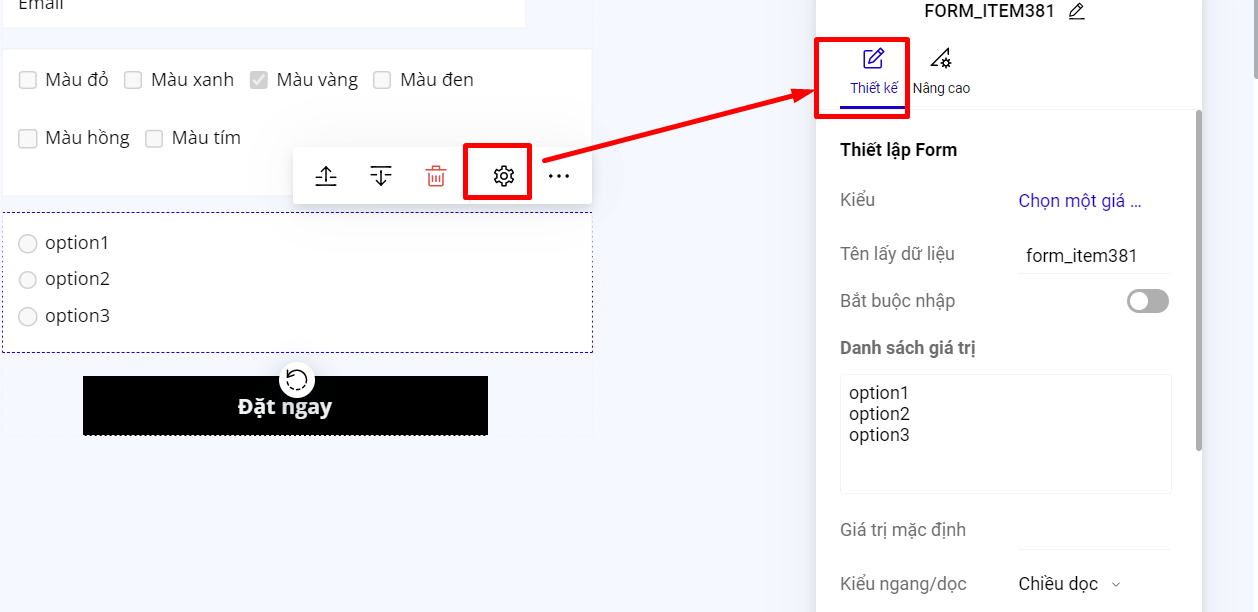
Để thiết lập bạn chọn loại trường "Chọn một giá trị". Trong ô điền Danh sách giá trị, bạn điền giá trị sau đó enter xuống dòng để mỗi giá trị là một dòng như ví dụ hình dưới:
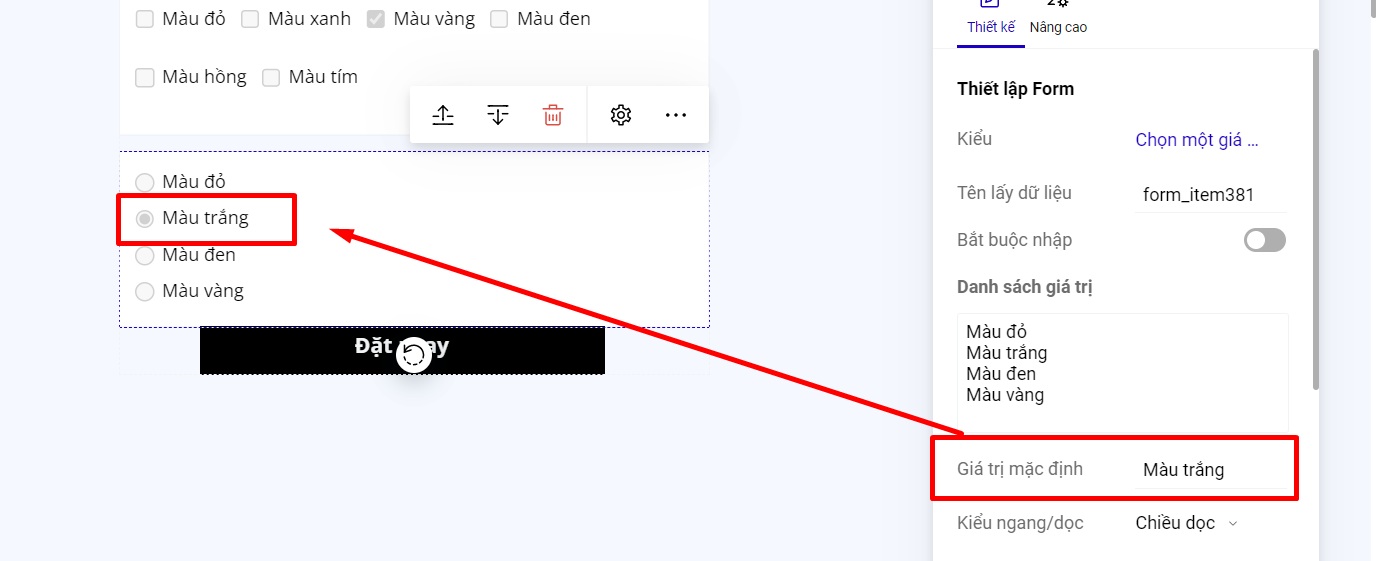
Nếu bạn muốn khi khách hàng truy cập vào landing page, trường Chọn một giá trị của form đăng ký có chọn sẵn 1 giá trị, thì bạn nhập giá trị mặc định là 1 trong các giá trị của danh sách giá trị.
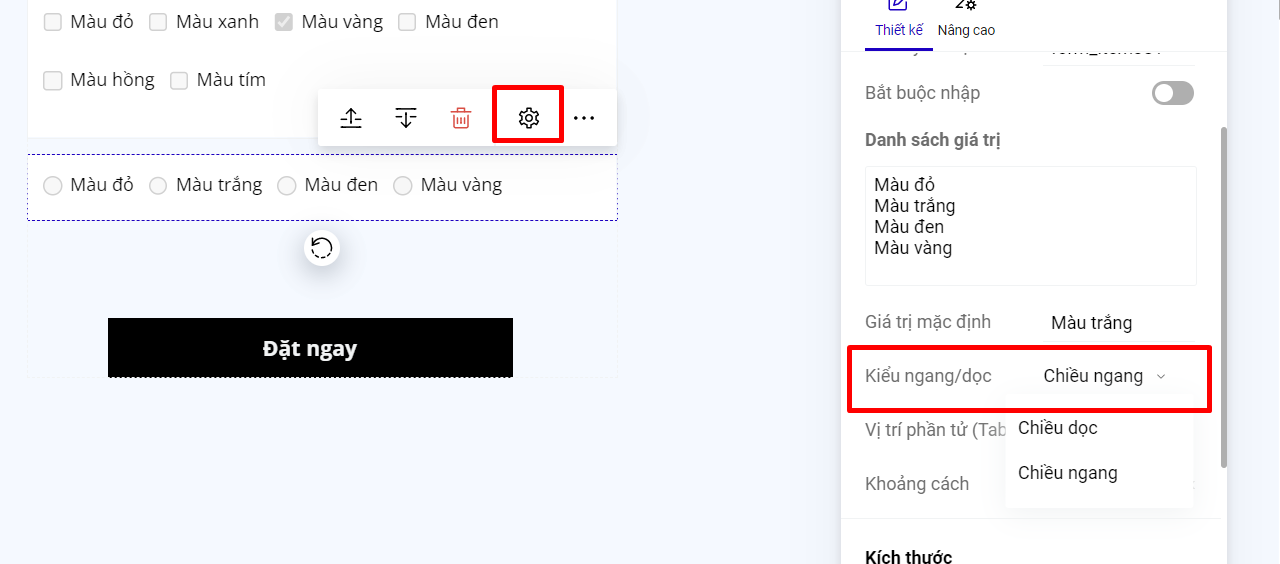
Bạn có thể sắp xếp các giá trị của trường Chọn một giá trị theo kiểu chiều ngang hoặc chiều dọc.
{% hint style="warning" %}
**Lưu ý:**
Phần hiển thị ô tích chọn trước các giá trị là mặc định, không thể chỉnh sửa và thay đổi.
{% endhint %}