> For the complete documentation index, see [llms.txt](https://ladipage-vietnam.gitbook.io/v5-ladiflow/llms.txt). Markdown versions of documentation pages are available by appending `.md` to page URLs; this page is available as [Markdown](https://ladipage-vietnam.gitbook.io/v5-ladiflow/tich-hop/huong-dan-tich-hop/tich-hop-tiktok.md).

# Tích hợp Tiktok

### Tích hợp Tiktok

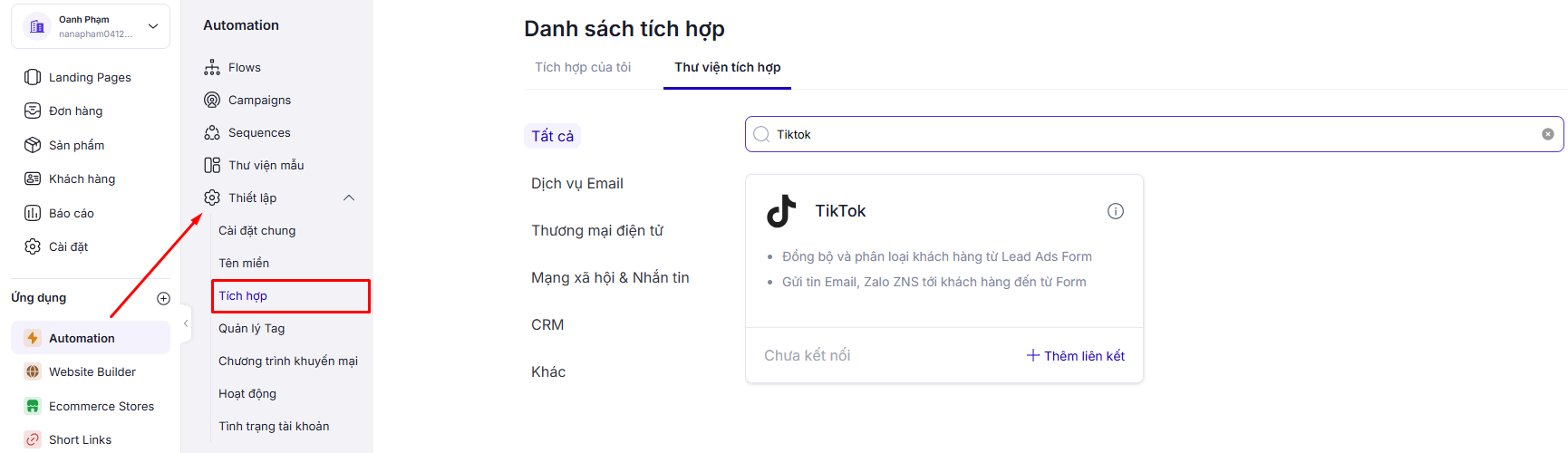
1. Tìm và chọn ứng dụng **Tiktok**.

   <figure><img src="https://1206056511-files.gitbook.io/~/files/v0/b/gitbook-x-prod.appspot.com/o/spaces%2FMhzSb2lqVdrrRcaVOf97%2Fuploads%2FKZvsPF67UJg3qTmUxxJ0%2Fimage.png?alt=media&amp;token=bea7bc84-b960-45aa-80a3-3b91ccf8d3bd" alt=""><figcaption></figcaption></figure>
2. Chọn **Thêm liên kết.**
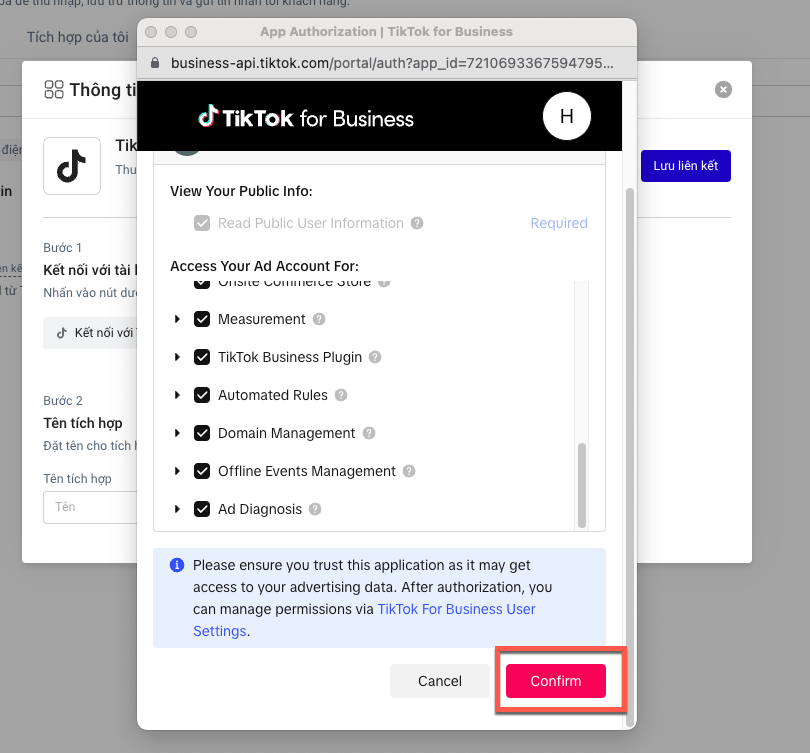
3. Đăng nhập với tiktok bằng cách chọn Kết nối với tiktok và cấp quyền truy cập.

   <figure><img src="https://1206056511-files.gitbook.io/~/files/v0/b/gitbook-x-prod.appspot.com/o/spaces%2FMhzSb2lqVdrrRcaVOf97%2Fuploads%2F6csqSlAVvLWbagVQtTUk%2Fimage.png?alt=media&amp;token=1215c7a5-ee6d-4513-ad1f-34d86e83aa0e" alt=""><figcaption></figcaption></figure>

<figure><img src="https://content.gitbook.com/content/MhzSb2lqVdrrRcaVOf97/blobs/JYgEunQP5RjATQfLRgdc/co%CC%80nfirm%20quyen.png" alt=""><figcaption></figcaption></figure>

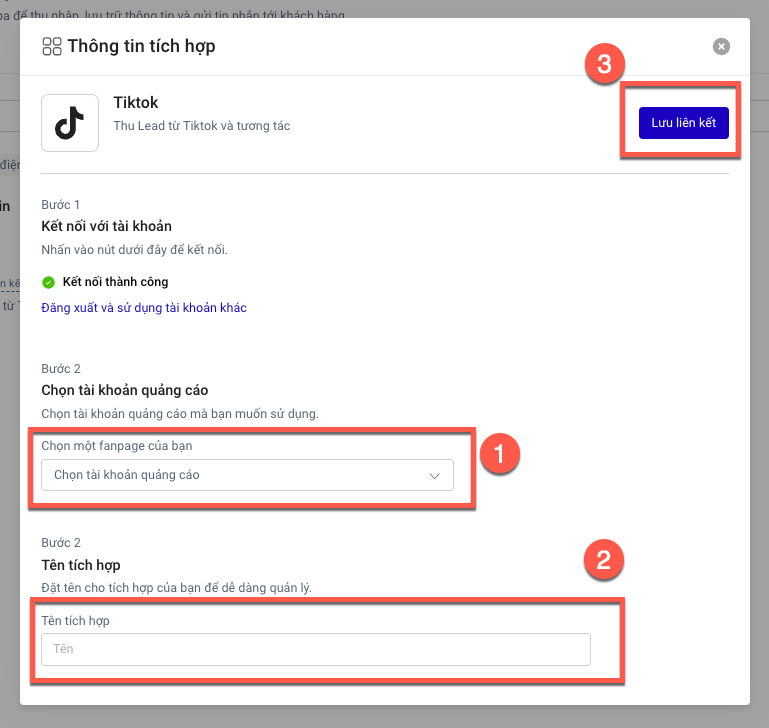
4. Chọn tài khoản quảng cáo, điền tên tích hợp và chọn **Lưu liên kết**.<br>

   <figure><img src="https://content.gitbook.com/content/MhzSb2lqVdrrRcaVOf97/blobs/vj85GmLqAIOtvtlJ1OHa/hoa%CC%80n%20thie%CC%A3%CC%82n%20tiktok.png" alt=""><figcaption></figcaption></figure>

   **Hiện tại hệ thống không giới hạn số tích hợp Tiktok.**