> For the complete documentation index, see [llms.txt](https://ladipage-vietnam.gitbook.io/v5-ladiflow/llms.txt). Markdown versions of documentation pages are available by appending `.md` to page URLs; this page is available as [Markdown](https://ladipage-vietnam.gitbook.io/v5-ladiflow/thu-vien-mau/kich-ban-cua-toi.md).
# Kịch bản của tôi
Automation giúp bạn lưu trữ các kịch bản của bạn để tái sử dụng.
### Lưu kịch bản
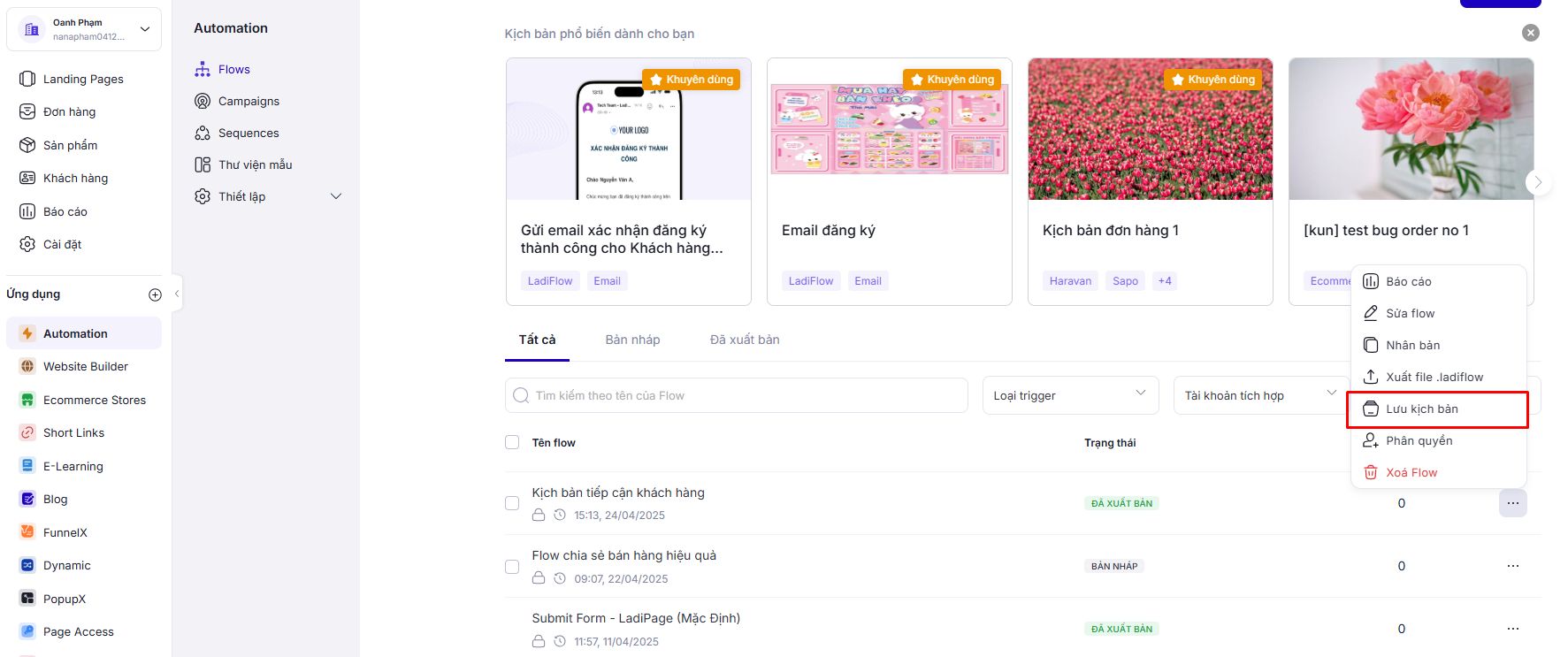
1. Chọn kịch bản muốn lưu, sau đó chọn **Lưu kịch bản.**
2. Điền đầy đủ các thông tin vào form.
* Nếu chọn tạo kịch bản mới, bạn sẽ lưu kịch bản thành kịch bản mẫu mới.
* Nếu chọn thay thế mẫu đã tạo, bạn sẽ thay thế kịch bản này với 1 kịch bản bạn đã lưu.
3. Chọn Lưu kịch bản.
### Xem danh sách kịch bản của tôi
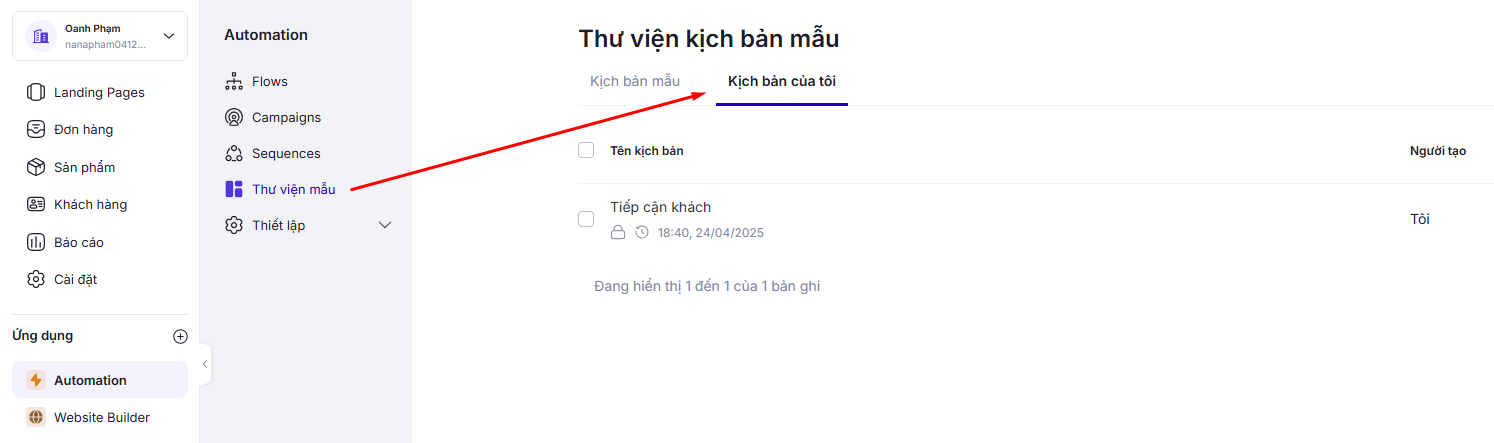
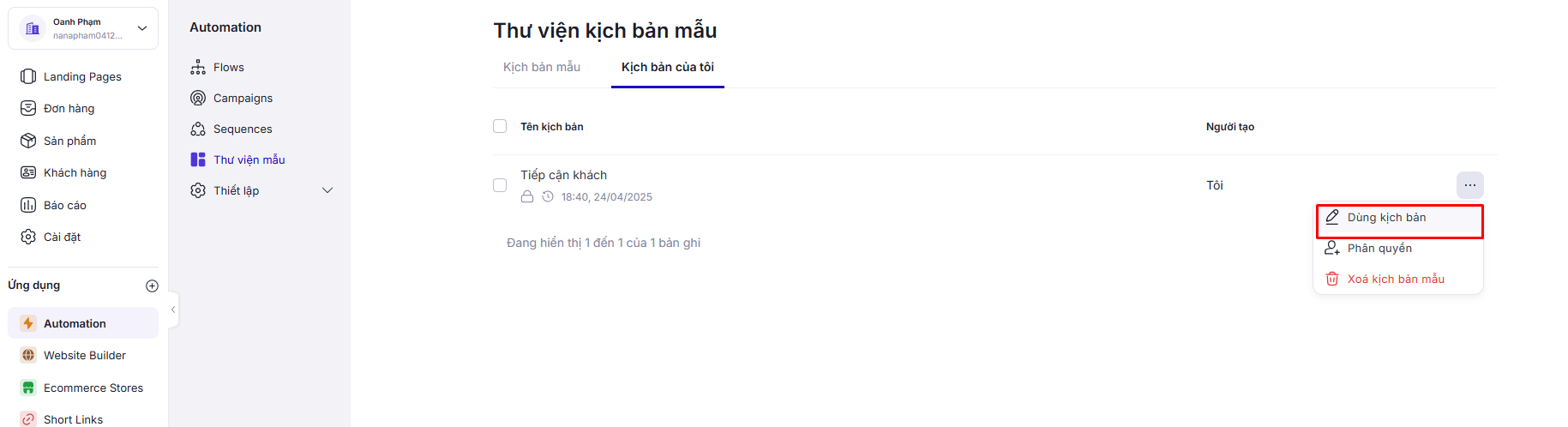
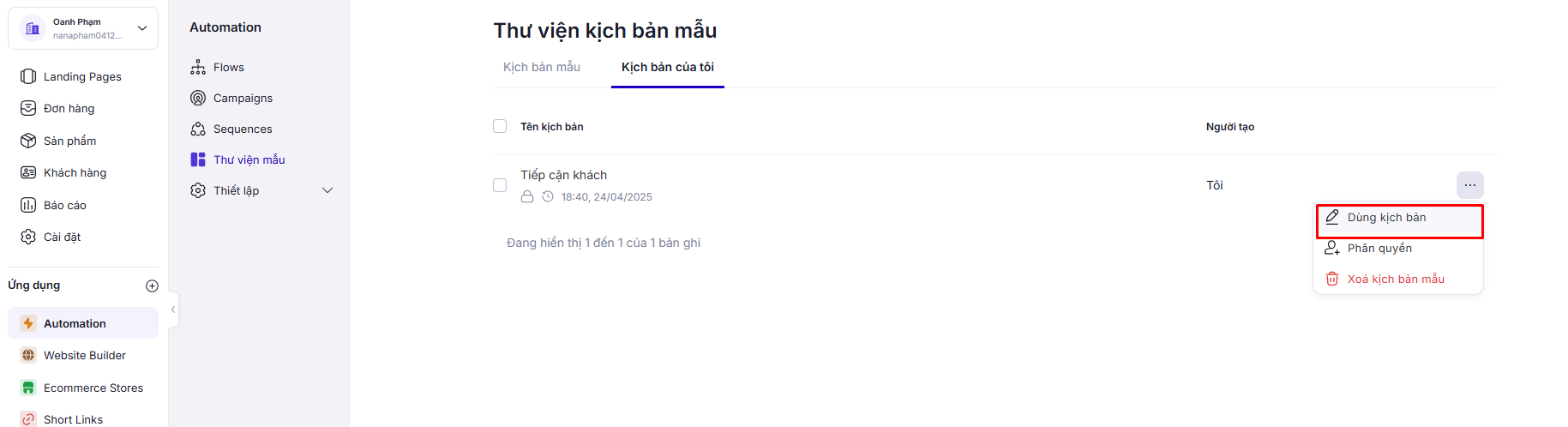
Chọn **Thư viện mẫu** trên thanh menu, sau đó chọn **Kịch bản của tôi.**
### Xoá kịch bản của tôi
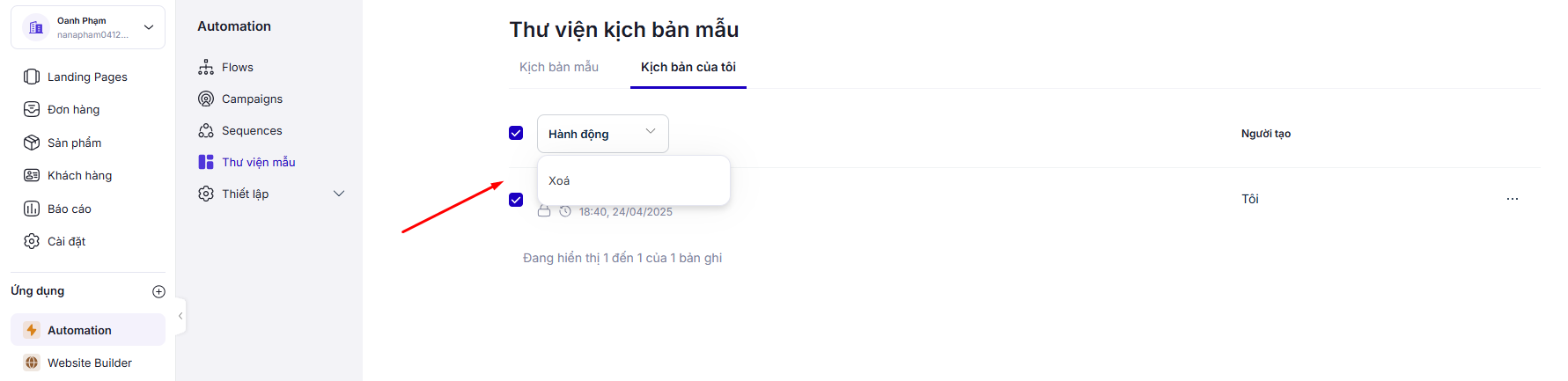
**Tích chọn các kịch bản muốn xoá**, chọn hành động, chọn **Xoá**.
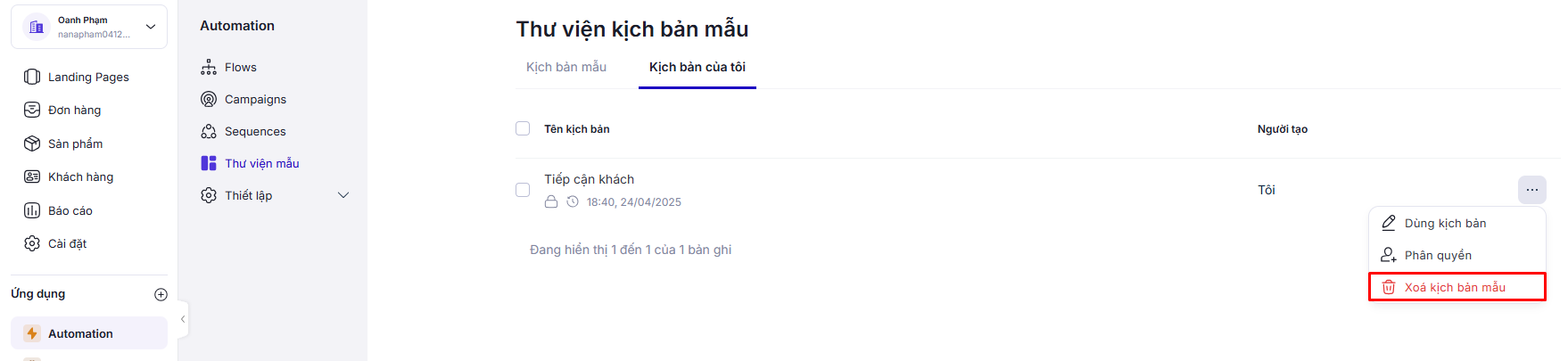
**Chọn kịch bản muốn xoá**, chọn **Xoá**
### Sử dụng kịch bản của tôi
Cách 1: Chọn kịch bản muốn sử dụng, sau đó chọn **Dùng kịch bản**.
Cách 2: Chọn chức năng sử dụng kịch bản mẫu khi tạo Flow.
1. Chọn Flows trên thanh menu, sau đó chọn **Tạo Flow.**
2. Chọn **Sử dụng Flow mẫu.**
3. Chọn tab **Kịch bản của tôi.**
4. Chọn kịch bản muốn sử dụng, sau đó chọn **Dùng kịch bản**.